
How to Fix "Malware Blocked" com.docker.socket on macOS
macOS XProtect sometimes flags com.docker.socket as malware after a Docker Desktop update. This is a false positive caused by a code-signing mismatch — the helper binaries in /Library/PrivilegedHelperTools/ have stale or revoked signatures. No actual malware is involved.
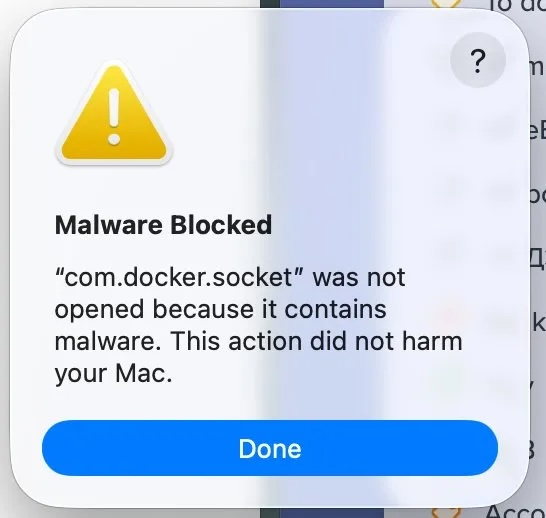
Fix: Replace the Flagged Binaries
Step 1: Quit Docker Desktop
Quit Docker Desktop completely. Open Activity Monitor and kill any remaining docker or com.docker.* processes.
Step 2: Stop the Launch Daemons
sudo launchctl bootout system /Library/LaunchDaemons/com.docker.vmnetd.plist
sudo launchctl bootout system /Library/LaunchDaemons/com.docker.socket.plist
Step 3: Remove the Flagged Binaries
sudo rm -f /Library/PrivilegedHelperTools/com.docker.vmnetd
sudo rm -f /Library/PrivilegedHelperTools/com.docker.socket
Step 4: Copy Correctly Signed Binaries from Docker.app
sudo cp /Applications/Docker.app/Contents/Library/LaunchServices/com.docker.vmnetd \
    /Library/PrivilegedHelperTools/

sudo cp /Applications/Docker.app/Contents/MacOS/com.docker.socket \
    /Library/PrivilegedHelperTools/
Step 5: Reboot
Restart your Mac. XProtect caches signature verdicts, so a reboot is required to clear it — restarting Docker alone is not enough.
Verify the Signatures
Before launching Docker, confirm the new binaries are properly signed:
codesign -vvv /Library/PrivilegedHelperTools/com.docker.socket
codesign -vvv /Library/PrivilegedHelperTools/com.docker.vmnetd
Both should show valid on disk with no errors.
Notes
- This is a known Docker Desktop issue, not actual malware
- The root cause is that existing helper binaries have certificates that Apple has revoked
- If the error returns after a future Docker update, repeat Steps 2–5
- Docker Desktop 4.40+ ships with the fix — updating to the latest version may be sufficient